Install Hoaka
About an hour for the server and the install stick, then a few minutes for each computer.
Your server computer
No files yet?Ask for the free three months
Before you start
- A server computer64-bit, 40 GB free, on all day.
- A fixed address for itWired to the lab network. Ask IT to reserve its address in the router.
- The lab computers64-bit, able to start from a USB stick, each on the network by cable. Their disks are erased.
- A USB stick16 GB or more, and balenaEtcher, free at balena.io/etcher.
- The files we sendhoaka-server-windows-amd64.exe and the lab system as a .zip. The links work for 7 days.
- The networkPorts 8080 for teachers and 8443 for lab computers, on the staff network only, never open to the internet.
Install the server
- Double-click
hoaka-server-windows-amd64.exe. - If Windows says "Windows protected your PC": More info, then Run anyway, then Yes.
- Note the console address,
http://…:8080/, and the server key it prints.
Set up the server
- Fill in University name, Your name and Password, then press Set up and sign in.
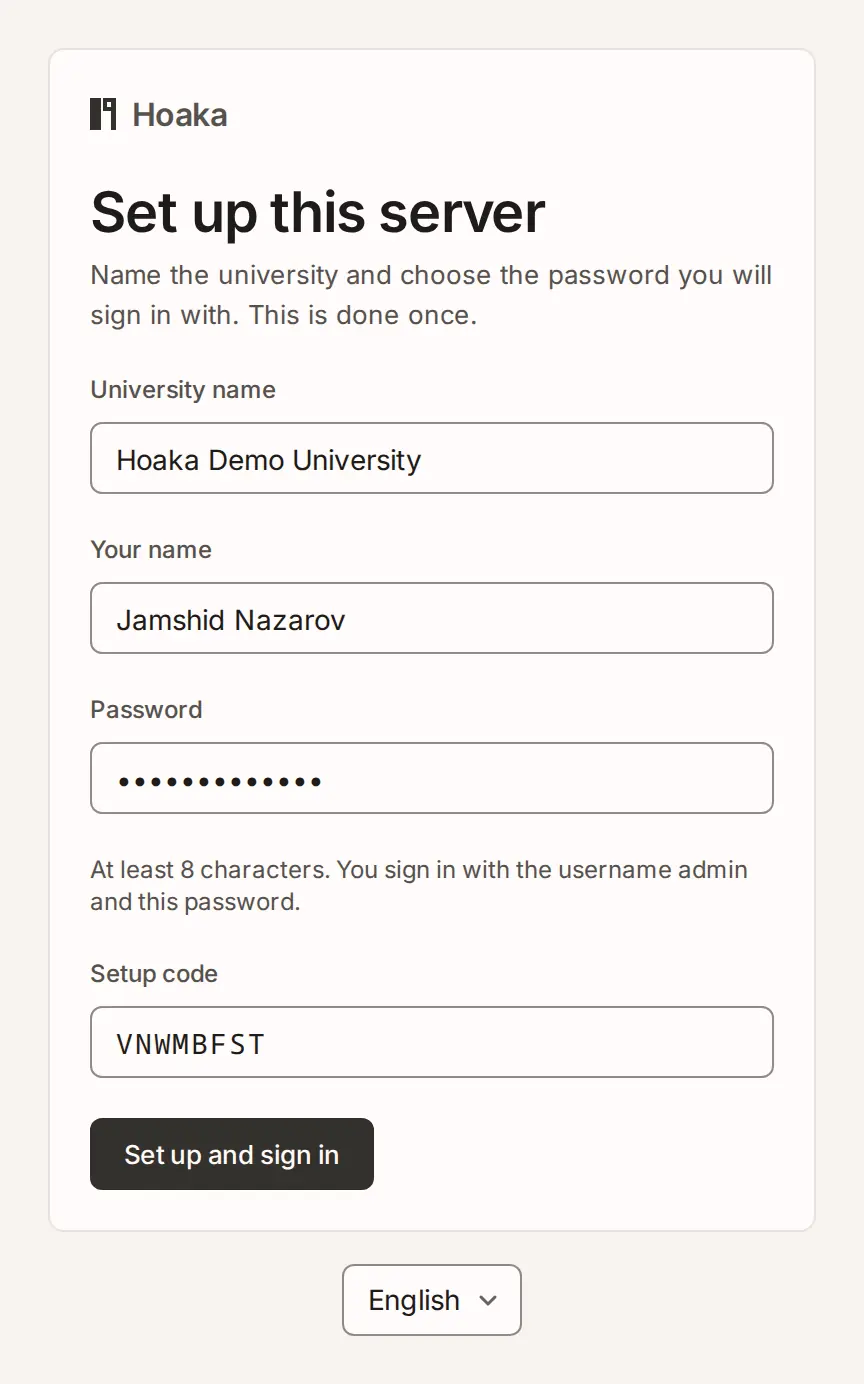
- Closed the page too early? In a Command Prompt opened as administrator:
"C:\Program Files\Hoaka\hoaka-server.exe" -setup-code
Load the free licence
SettingsLicence
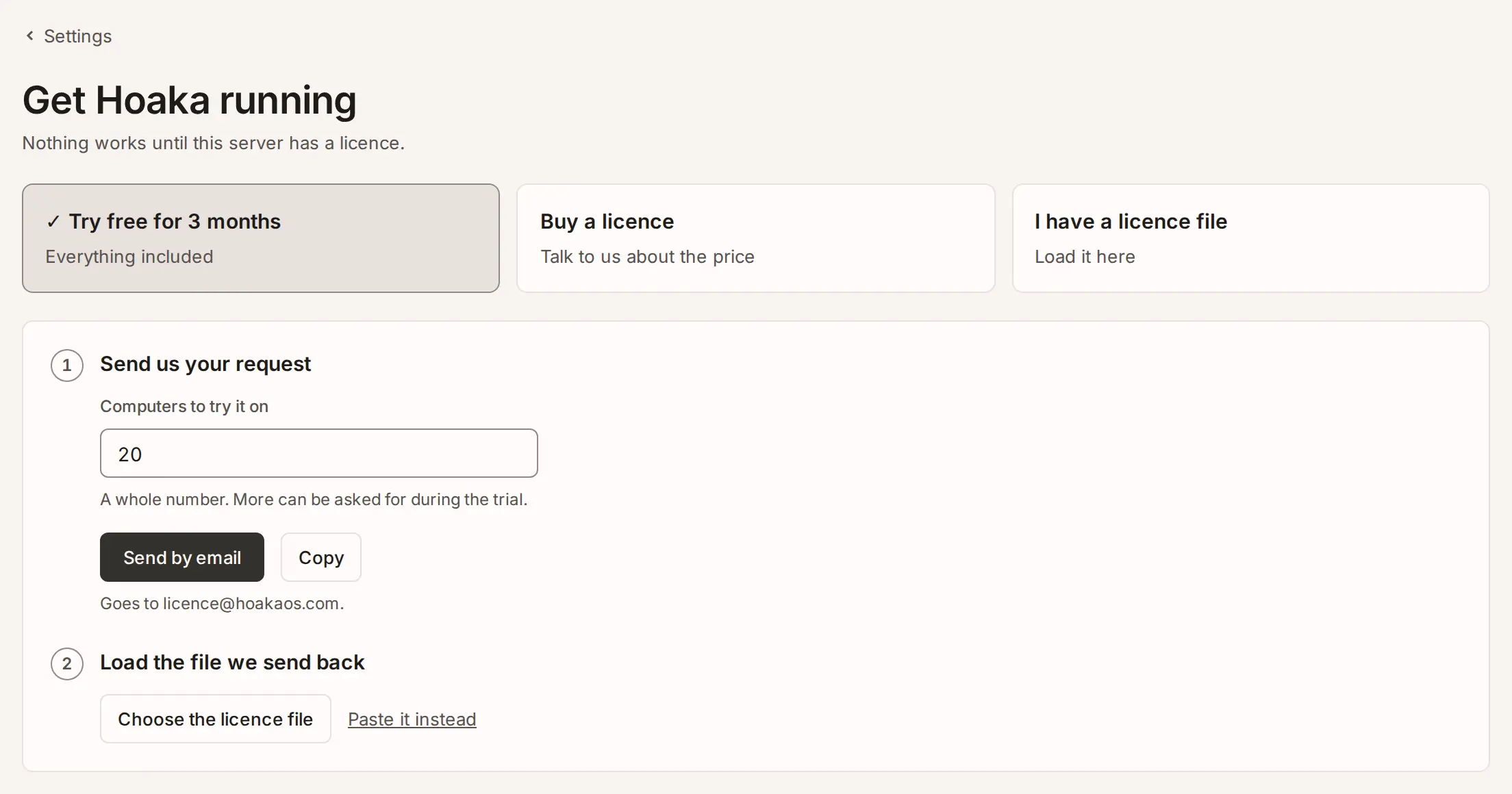
- Press Try free for 3 months, type how many computers, then Send by email.
- We answer with a licence file: Choose the licence file, then Load.
Add the rooms
Rooms
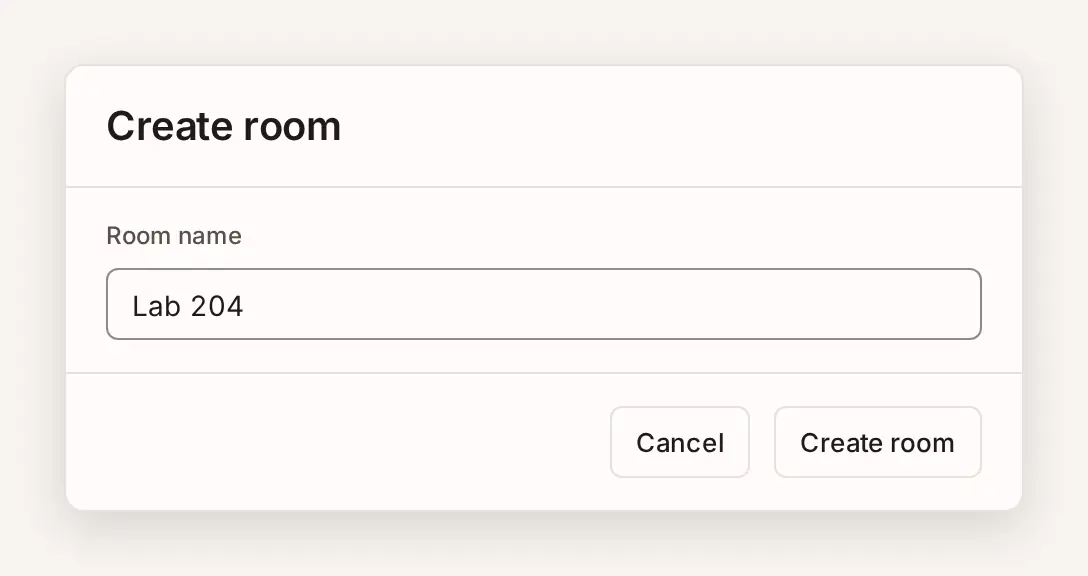
- Press Create room once for each lab, for example "Lab 204".
Make the install stick
SettingsLab computersLab installer
- On the server computer, so the large file stays off the network.
- Right-click the .zip, then Extract All.
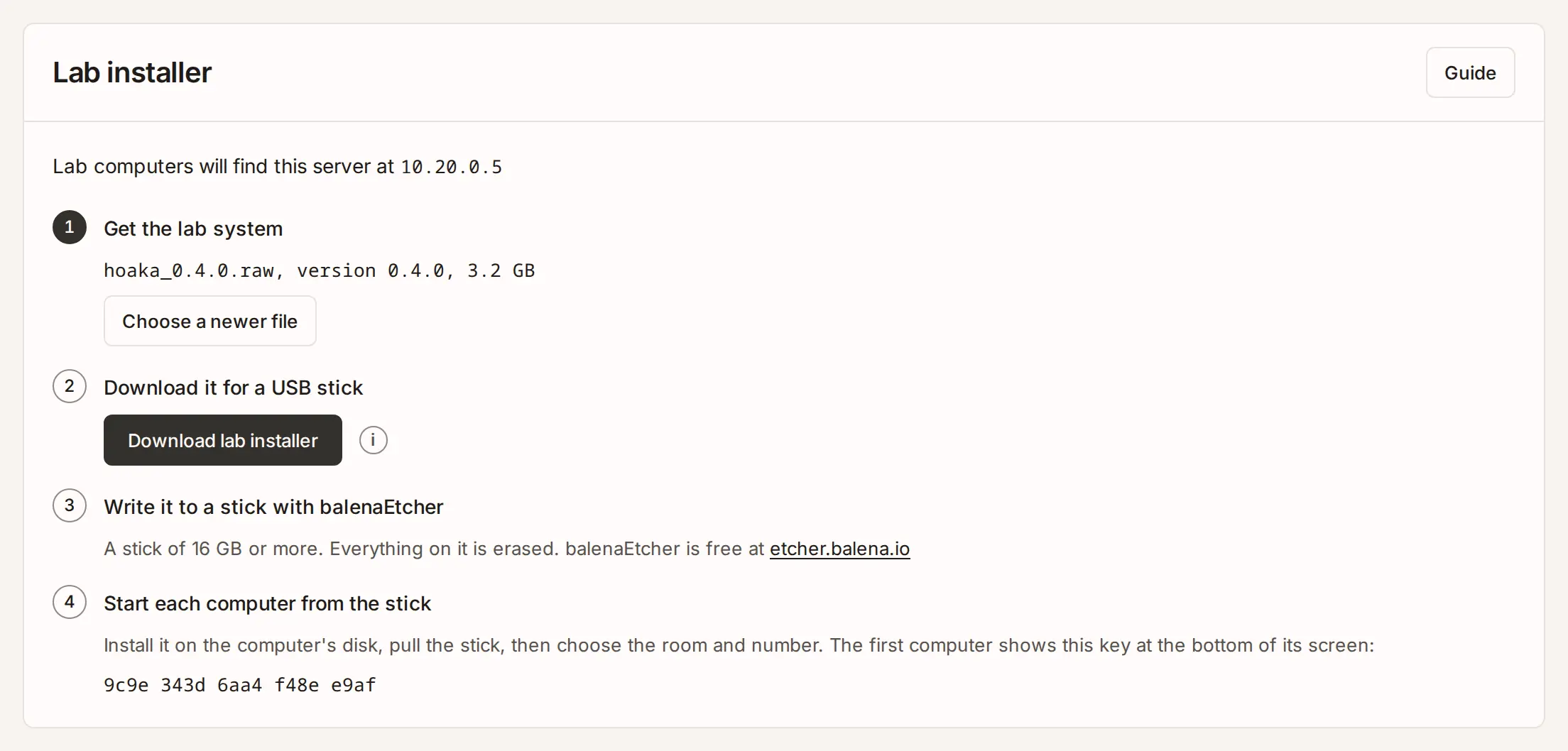
- Press Choose the file and pick the .raw file.
- Press Download lab installer.
- In balenaEtcher: Flash from file with the .img, Select target with the stick, then Flash!. It erases the stick.
Install each lab computer
- In the BIOS or UEFI settings (often F2, F1 or Del at power-on): turn off Secure Boot and CSM, and set a BIOS password so nobody starts it from another stick.
- Plug in the stick and choose it in the boot menu (often F12, F11, F9 or Esc).
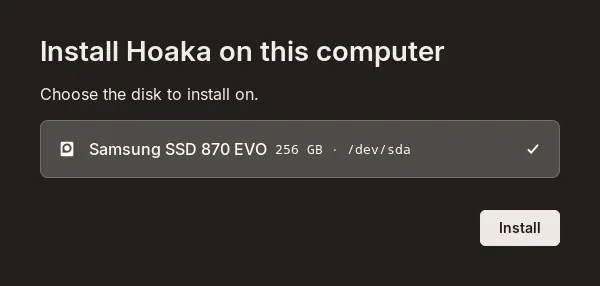
- Choose the computer's own disk, then Install and Erase and install.
- Pull out the stick when it says so.
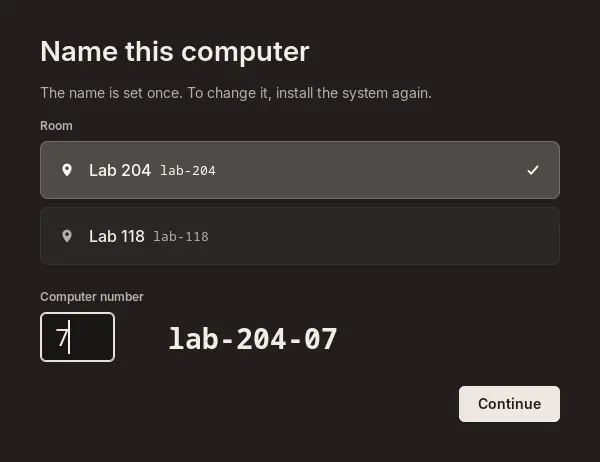
- Choose the Room, type the Computer number, then Continue. Check that the Server key matches the one the server printed, then Confirm.
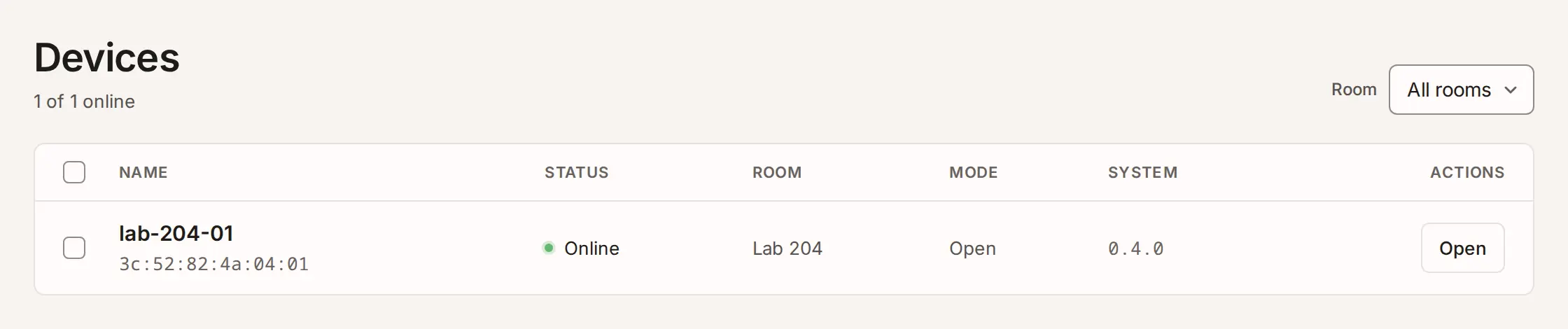
- It shows up under Devices in the console. On to the next computer.
Running the lab
- Rooms
- Switch a room between Open, Lecture and Exam, and send a page to every screen.
- Exams
- Start one with your exam page's link. Its computers open only that page until it ends.
- People
- Add teacher accounts and give each one their rooms.
- Updates
- New versions arrive by themselves, never during an exam.